Pushdown
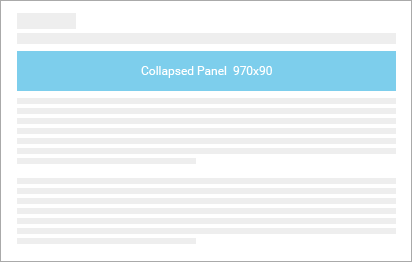
Collapsed Panel
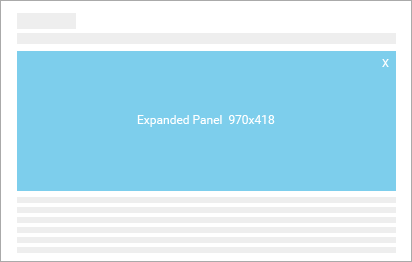
Expanded Panel
The user visits a page scripted with the supported pushdown ad. Shortly after the 970x66/970x90 pushdown ad loads, it automatically expands downwards (frequency capped to once per user per day), pushing the site content down with it. The duration of this uninitiated expansion will be limited to 7 seconds. If the user interacts with the ad during this time, the ad will remain expanded for a total of 30 seconds before collapsing, otherwise the ad will automatically collapse back into the 970x66/970x90 space after the 7 seconds. After the unit collapses, further expansions may be user-initiated by click.
| Dimensions | 970x66/970x90 |
|---|---|
| Ad Type | HTML5 |
| Format | Pushdown |
| Expanded Dimensions | 970x418 |
| Expand Direction | Down |
| File Size (Initial / User-Initiated) | 100 KB / 250 KB |
| Animation Limit | 7 sec on frequency capped auto expansion, 15 sec on subsequent user-initiated expansions |
| Video Length | 7 sec on frequency capped auto expansion, 30 sec on subsequent user-initiated expansions |
| Notes | Auto expansion capped at once per user per day. Subsequent expansions must be user-initiated on Click. Expanded panel must have Close button. |
Video
- Format will be true streaming
- Audio may only be initiated upon user click
- Minimum required controls: Play, Pause, Audio On, Mute, and Replay
Creative cannot have a transparent background
The Collapsed panel (pre-expand) must have a solid background at all times.
Creative must feature a 1 pixel border
Any color that clearly distinguishes the ad from the content may be used.
Hit area for any expansion cannot exceed 25% of the Collapsed panel (pre-expand)
Close button required on the Expanded panel
For all types of expanding creatives, a Close button is required (location at the top right is recommended).
Backup JPG/GIF
All HTML5 creatives must be accompanied by an alternate JPG/GIF image. This image will be displayed in the place of the creative if the user’s browser does not support HTML5. The backup image will need to be created at the same dimensions as the unit itself. If the unit expands in any way, the backup image should have the same dimensions as the collapsed panel.
If a template is available for this unit, the download link will be located next to the example link. Please refer to the Template Guide for details on how to use our Ad Builder templates.
If the creative will be built and produced by Interpolls (Managed Services), below are a list of deliverables to submit to your Interpolls Account Manager. For more details, refer to Creative Submission.
- Client approval on final creative
- Layered PSD(s) of creative - separate PSDs for each state (ie. Collapsed Panel and Expanded Panel). Please organize different frames of animation or content with layer comps and/or layer folders.
- Static JPG(s) showing each approved frame of the creative
- All fonts used in the creative
- Backup JPG created at the same dimensions as the unit itself. The dimensions of the unit may be referenced in the Specifications section above. The backup JPG is a static image that will be displayed for browsers or platforms that do not support HTML5.
- Video assets (high quality/uncompressed)